How Makez.ai Streamlines Billing & Automated Collection
Blog Makez.ai – Smart & Secure Data Extraction Platform Makez.ai – Smart & Secure Data Extraction Platform Managing modern business data is […]

Makez.ai – Smart & Secure Data Extraction Platform
Makez.ai – Smart & Secure Data Extraction Platform
Managing modern business data is challenging. From multiple documents, scanned files, invoices, to digital signatures, businesses require accurate and secure data extraction. Makez.ai is a smart and secure data extraction platform that uses AI for documents, intelligent document processing, and automated invoice systems to streamline workflows.
Whether you’re handling a scanned document, creating invoices, or adding a digital signature to PDF documents, Makez.ai makes business processes faster, accurate, and legally compliant. With features like OCR with AI, e-signature, digital signature certificate online, and KYC verification, your business documents stay organized, secure, and actionable.
Challenges in Traditional Data Extraction
Manual document processing and billing often cause:
- Errors while processing any document
- Difficulty managing multiple documents or scanned docs
- Delays in invoice approvals and collections
- Compliance risks with digital and electronic signature standards
- Difficulty in tracking documents on file
Businesses relying on manual workflows face inefficiency and higher costs. Makez.ai solves this using AI document automation, automated invoice processing, and digital signature integration.

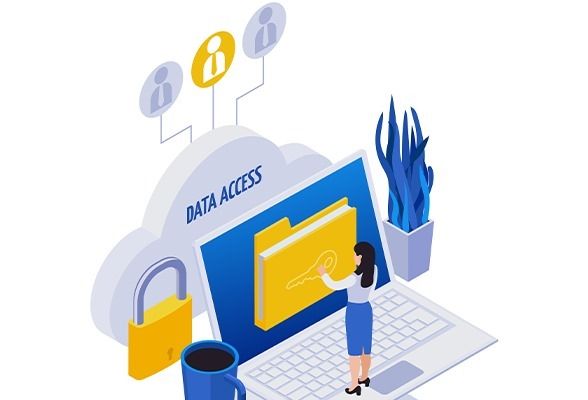
How Makez.ai Transforms Data Extraction
1. AI-Powered Document Reading
Makez.ai’s doc AI reads PDFs, scanned files, and other formats, extracting key information accurately. AI for documentation ensures that artificial intelligence documents are processed without errors, whether it’s an invoice, contract, or KYC form.
2. Automated Invoice System
With automatic invoicing, Makez.ai generates, tracks, and sends invoices automatically. The invoice automation system supports bulk processing and intelligent document processing, reducing manual effort significantly.
3. Digital Signature Made Simple
Easily add a digital signature to PDF, create online signatures, or draw signature online. You can even check digital signature online for validation. All digitally signed documents are legally compliant and secure.
Real-World Example – Solving User Problems
Client: StarTech Solutions, a mid-sized IT services company
- Previously, they spent 15+ hours weekly processing scanned documents and invoices manually
- Payments and approvals were often delayed due to missing digital signatures
After Makez.ai:
- AI document automation instantly processed multiple documents
- Automated invoice system reduced errors by 85%
- Digital signature certificates online accelerated approvals and compliance
Testimonial:
“Makez.ai transformed our workflow. The platform’s AI for documents and automatic invoice system saves us hours every week. Tracking scanned files has never been easier!” – Neha R., Operations Manager, StarTech Solutions
Key Features of Makez.ai
- AI Document Intelligence – Reads, extracts, and organizes data documents
- OCR with AI – Converts scanned documents into editable digital documents
- Automated Invoice Processing – Creates invoices automatically
- Digital and Electronic Signature – Supports digital signature PDF, digital signature online free, and electronic signature online
- KYC & e-KYC Verification – Streamlines know your customer process
- Document Tracking Service – Real-time monitoring of documents on file
- Secure Data Handling – Encryption ensures digital documents remain protected
Benefits of Makez.ai
- Reduced errors in document processing
- Faster invoice automation and approvals
- Legal compliance with digital signatures and certificates
- Secure storage of scanned docs and business documents
- Efficient management of multiple documents across teams
- Streamlined KYC verification for banking and financial compliance
Industry Use Cases
H6: Security & Compliance
Makez.ai encrypts all digital documents, scanned files, and digitally signed certificates, ensuring your data documents are secure. Platforms comply with KYC standards, e-KYC verification, and digital signature certificate online rules. You can validate a signature in PDF anytime and maintain a fully secure document management workflow.
How to Use Makez.ai – Step-by-Step
- Upload any document – PDF, scanned doc, or image.
- Let AI read PDF and extract key data automatically.
- Create invoices with automatic invoice system.
- Add digital or electronic signatures online.
- Track documents and validate signatures in PDF.
- Share digitally signed certificates securely with clients.
Frequently Asked Questions (FAQs)
Q1: Can I add a digital signature to a PDF online?
A: Yes, Makez.ai allows digital signature on PDF documents easily.
Q2: Does Makez.ai support bulk invoice processing?
A: Yes, the automated invoice system can handle multiple documents.
Q3: Can scanned docs be processed automatically?
A: Absolutely! The OCR with AI converts scanned files into editable digital documents.
Q4: Is there a free version for digital signatures?
A: Yes, Makez.ai offers digital signature online free for limited documents.
Q5: Can I track my document approvals?
A: Yes, the document tracking service provides real-time updates.
Q6: Does Makez.ai handle KYC verification?
A: Yes, both e-KYC and KYC identity verification are supported.
Q7: Can I check digital signature validity online?
A: You can easily check digital signature online for authenticity.
Q8: Does Makez.ai support all file types?
A: It supports PDFs, doc files, scanned documents, and other common formats.
Q9: Can I import existing documents?
A: Yes, you can import document files and integrate them seamlessly.
Q10: Is Makez.ai suitable for enterprises?
A: Yes, it scales for multiple documents, high volume invoices, and large organizations.
Why Businesses Choose Makez.ai
Makez.ai is more than a tool — it’s a digital partner for secure, intelligent document management. From AI document processing to digital signature integration, it ensures every document is accurate, compliant, and secure.